Expert Slide and Photo Scanning Since 2002
4000 ppi High Resolution Slide Scanning
Affordable Scanning
www.old-photo.com
www.old-photo.com
Easy 35mm Slide Orientation
-
You have to determine which side "faces towards the screen" when projected.
-
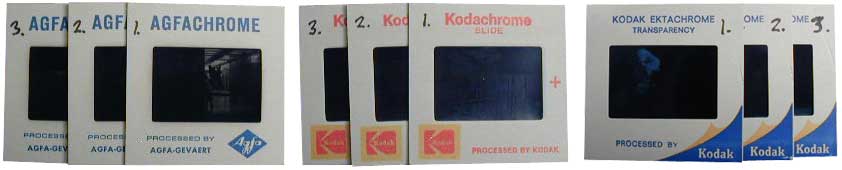
Make your stack of slides so that they all have the side that "faces towards the screen" up.
-
The TOP slide in the stack will be the first slide in each "show.
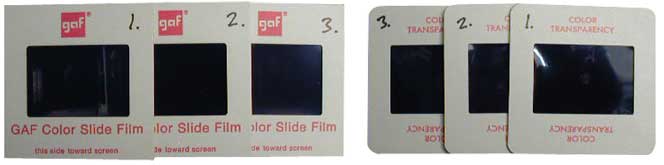
Most times, the side of the slide with the Manufacturer's ID or Logo on it, faces towards the screen. Get all your slides going this way and you will have a 99% chance of being right. This will get your slides all facing "toward the screen." Some slides will even say "this side towards screen." The top slide is going to be the first slide in each show and it will have the "side towards the screen" facing up. The bottom slide in your stack will be the last in each show.
Plastic slides sometimes have
"this side towards screen" stamped on the front
of the slide.
It is hard to see unless you hold the slide at
an angle:
Slide Orientation, Rotation
-
Regardless of whether you have "Portrait" or "Landscape" slides, you HAVE to turn the slides so that they are all stacked in "landscape" position for scanning. If you don't do this, your image will get cropped off, top and bottom.
-
We will rotate the image so that it will display correctly but you have to get the slides in the correct position for us to scan.
-
If you do not rotate the slides correctly so that we can just grab a handful and scan them, you will have the option of leaving them as is and having the scanner "crop" them, or you will have to pay our operator to do it for you. Figure an additional $.10 per slide, based on ALL your slides. We can't just charge you for the bad slides because we have to look through them all.
This is
the wrong way to oreint the slides.
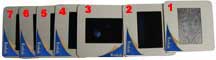
Note the slide not rotated, above.
This is
the correct way to orient the slides.
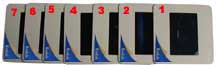
All slides should be oriented so that the rectangular film areas are going in the same direction throughout the stacks.
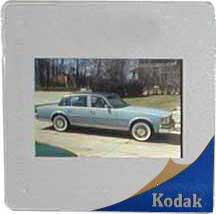
This is a Landscape shot.
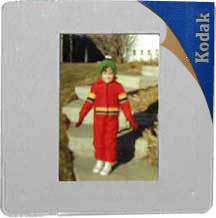
This is a Portrait shot.
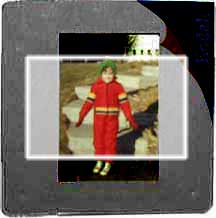
This is the kind of
scan you are going to get if you do
NOT
rotate the portrait slide so
that it is oriented the same as the
landscape slide.
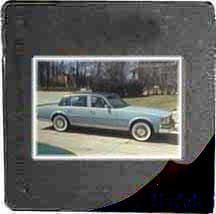
Get all your landscape slides rotated correctly and they will be scanned correctly.
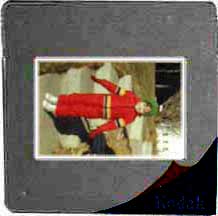
This is
the wrong way to Rotate the slides.
Note the slide not rotated, above.
This is
the correct way to orient the slides.
About Our Company
Affordable Scanning Services LLC
400 Bittersweet Lane
Waupun, WI 53963
Copyright 2023
Everyone needs to fill in and submit an order form online. This includes those who want to personally DROP OFF. There is a lot of information you need to read on the order form pages.
Please click here.
Get in Touch
After Hours, you will get a faster response by using Email. Please click the link above. We answer Email at all hours. Telephone messages are responded to during business hours.