Expert Slide and Photo Scanning Since 2002
4000 ppi High Resolution Slide Scanning
Affordable Scanning
www.old-photo.com
www.old-photo.com
Determine Front and Back Of Slides
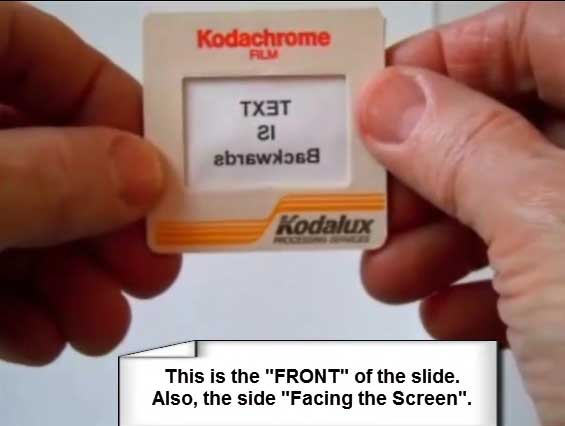
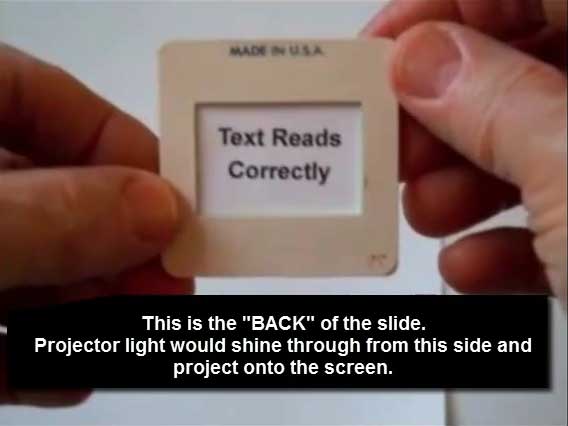
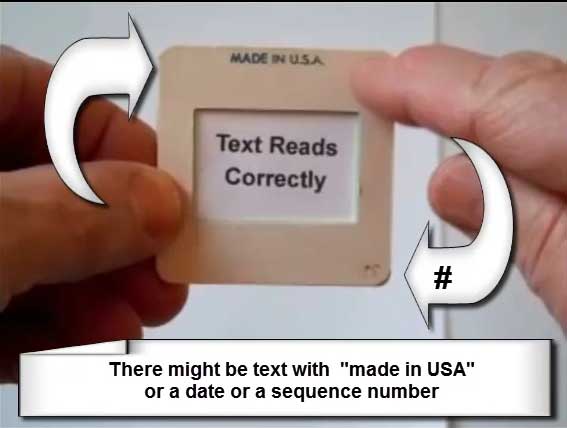
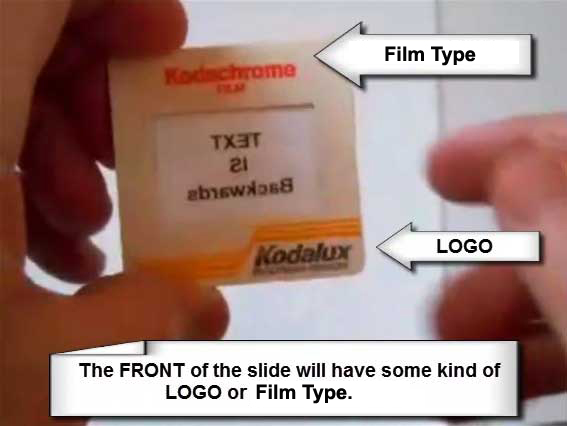
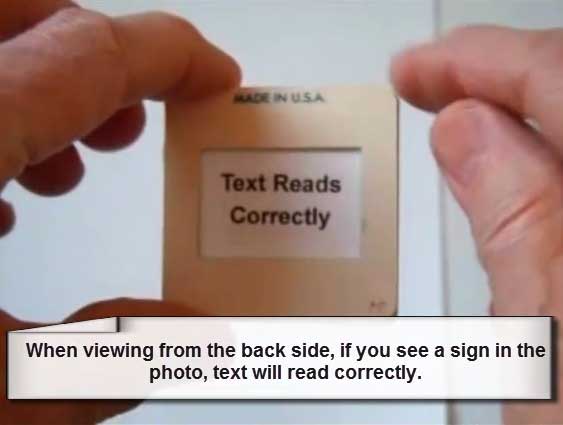
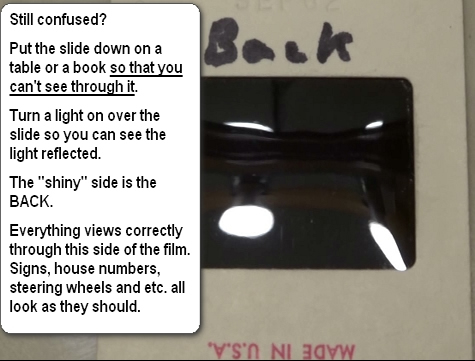
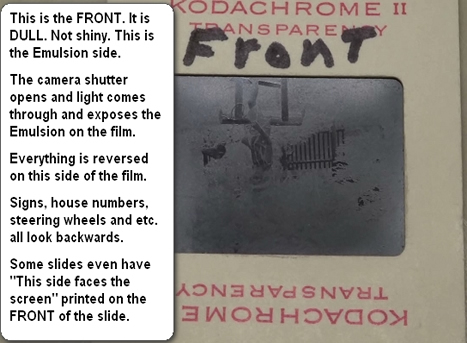
We know this is a confusing part of your slide organization. We have been dealing with since 2002 and we keep trying to find a perfect way to help people get past this problem. For the sake of standardizing this, the side of the slide with the "LOGO" will be referred to as the "FRONT" of the slide. If you hold the slide up to the light and you can see a sign in the picture, the text will read "BACKWARDS". Now, please don't get hung up on this. We are going to get your slide scans all reading correctly, when you view them on your TV or computer or you make prints. It is just that we all have to be seeing things the same way. I can't tell you how many people do their organizing just the opposite of what we need. Don't over-think this. Just please give us what we need.
 |
 |
 |
 |
 |
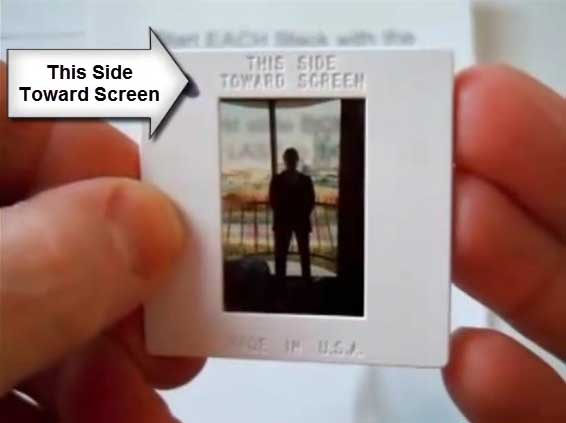
"THIS SIDE TOWARDS SCREEN" is the FRONT of the slide.
|
 |
|
About Our Company
Affordable Scanning Services LLC
400 Bittersweet Lane
Waupun, WI 53963
Copyright 2023
Everyone needs to fill in and submit an order form online. This includes those who want to personally DROP OFF. There is a lot of information you need to read on the order form pages.
Please click here.
Get in Touch
After Hours, you will get a faster response by using Email. Please click the link above. We answer Email at all hours. Telephone messages are responded to during business hours.