Expert Slide and Photo Scanning Since 2002
4000 ppi High Resolution Slide Scanning
Affordable Scanning
www.old-photo.com
www.old-photo.com
Text Frames & Text Added To Pictures
Please Note:
We need you to send your text for your text frames as text
in an email or as a text document. We copy and paste your text. If
we have to type it for you, we may make a mistake, and, if we do
and you want it corrected, you will have to pay for recompiling
the disk or disks. If you send the text to us, then you will get
just what you want. If you just send us a sheet with your text
written on it, that is not what we need and we don't want you to
be disappointed.
Text Added to Pictures
We can add text to your pictures to identify
particular people, places or dates. This is a one
dollar charge but may be more if you want an excessive
amount of text added. We need you to send us this text
in an email or as an email attachment or on a floppy
disk, so that we have the exact spelling for your
text. Sometimes names can be particularly difficult to
get spelling correct.

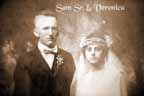
We can add the text somewhere where it doesn't take away from the picture but is readily viewable.
Text
Frames

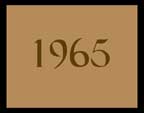
Text Frames are inserted at the beginning of a chapter. This frame will then show up on the DVD menu as a menu item. You must divide up your slides so that each text frame is the beginning of a chapter. If you have more text frames than chapters, you must divide up your slides so as to make more chapters. We include 12 chapters with no extra charge. If you need more than 12 chapters, then the cost is $1 extra per chapter over 12. Send a Text file or email with your text to assure proper spelling.
Text frames can be an important part of keeping the pictures in proper historical perspective by dating them. Text frames that will appear on the DVD menu should have a minimal amount of words since more words will necessitate the usage of smaller font size and make them less readable on the menu.

Cost For Text Frames
What we need you to do is to send us the actual text in a text document or an email. We need to be able to "copy and paste" your text in order to only charge $1 per text frame. If we have to do the typing, we need to charge $2 per text frame and that does not include getting the spelling correct for every word. If we make a mistake in typing and you catch it and want us to do it over again, it will be an additional $2 per text frame. If the disk has already been created, there is a $20 fee for recompiling the disk. It is just better for you to do your own typing.
About Our Company
Affordable Scanning Services LLC
400 Bittersweet Lane
Waupun, WI 53963
Copyright 2023
Everyone needs to fill in and submit an order form online. This includes those who want to personally DROP OFF. There is a lot of information you need to read on the order form pages.
Please click here.
Get in Touch
After Hours, you will get a faster response by using Email. Please click the link above. We answer Email at all hours. Telephone messages are responded to during business hours.