Slide Prep, Page #1 — Storage Containers
It's very important that you read these 4 pages from beginning to end. If you don't want to do the prep work yourself, we can do it for a small fee per slide (note this on your order form).
Slide Prep, Page #2: Organization and Orientation
Slide Prep, Page #3: Packaging Slides for Shipment
Slide Prep, Page #4: We can do your slide orientation and stacking for you
How should you prepare and pack your 35mm slides? Rubber band the slides or leave them in your slide carousel and ship the whole carousel box? If your slides are already in carousels, you can save yourself a lot of time and trouble by shipping us the whole carousel. You'll pay a bit more for shipping, but you won't spend hours stacking, labeling, and rubber-banding 2″–4″ stacks. How much is your time worth?
See our Carousel Shipping page to estimate shipping costs.
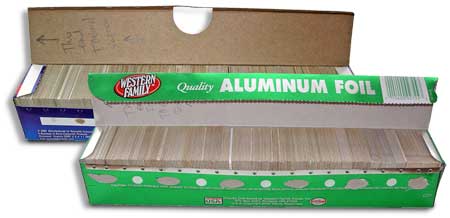
If you must remove slides from a container and want an alternative to stacked rubber-banded bundles, consider this packaging approach.
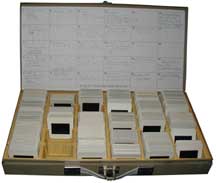
If you have metal or plastic containers like this, you can ship the whole thing. Make sure all slides face the correct direction so we can grab a handful and scan in order. See our specific directions.
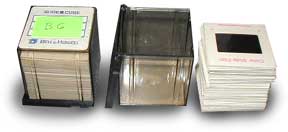
Bell & Howell 35mm Slide Cubes are ideal—each holds the right amount of slides. Ensure all slides are oriented correctly.
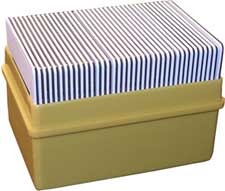
This yellow box is a good container. We can grab a handful and run them through the scanners. Still orient slides and indicate the starting slide (we assume it's the one that "faces the screen" if not indicated).

Stacked bundles (2″–4″) with rubber bands also work. Label each stack and maintain orientation.
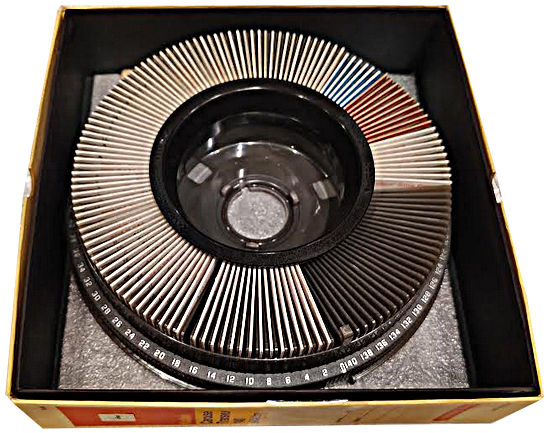
If your slides are already in KODAK carousels, shipping the whole tray is often fastest and easiest.
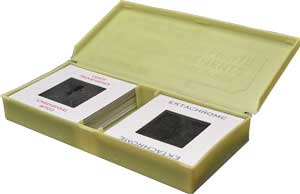

Slim containers make it inefficient for us to remove/replace slides. Please restack slides. We can handle these for a small per-slide fee if needed.
Another slim format—please restack into bundles. We can do it for a small fee per slide.

Narrow containers slow the workflow too much—please restack.
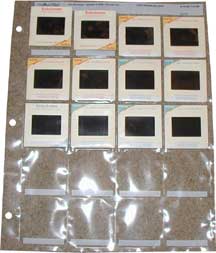
Plastic notebook holders require extra work to remove and replace slides. Please do not send in these.
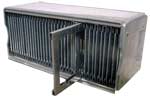
Airequipt cartridges are not acceptable. Remove slides and place in rubber-banded stacks before sending.
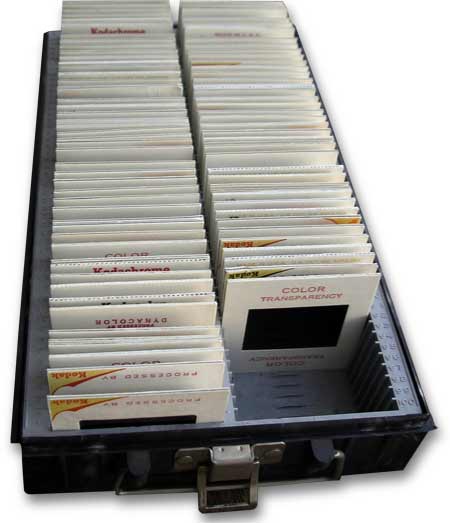
Containers like this prevent us from grabbing a handful to scan. Please restack.
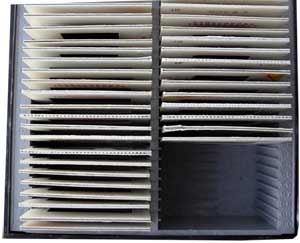
Please restack slides from this kind of container. We can do it for a small per-slide fee.

Sawyer Type Trays, which only hold 100 slides, will Need to have the slides removed and stacked. They are going to be bent and so do your best to straighten them.
Slide Prep, Page #1: Storage Containers
Slide Prep, Page #2: Organization and Orientation
Slide Prep, Page #3: Packaging Slides for Shipment
Slide Prep, Page #4: We can do your slide orientation and stacking for you