Photo Album Scanning: Remove Photos and Stack Them Loose
We do not scan paper photos while they’re still in albums or on album pages. Please remove each photo and stack them loose so we can capture clean, sharp 600 ppi scans without glare or distortion.
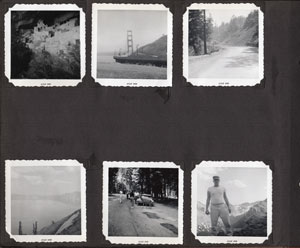
Best results start with removing photos from pages that have no plastic. Once removed, stack photos loose for efficient, high-quality scanning.
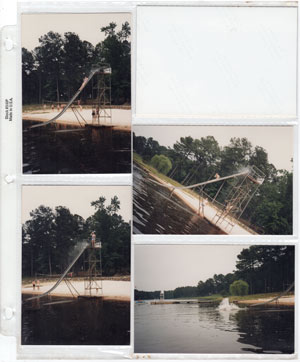
Plastic sleeves and “magnetic” covers create glare and distortion. Please remove every photo from its page before shipping.
What We Accept
- Loose, individual paper photos stacked flat (not in albums, sleeves, or frames).
- Stacks can be placed into plastic bags for transport once photos are removed from pages.
- We scan at 600 ppi and return files suitable for printing and archiving.
Why We Don’t Scan from Album Pages
- Plastic causes glare and reflections that lower quality.
- Wavy sleeves produce distortion and soft images.
- “Magnetic” album plastic can adhere to prints, risking damage during handling.
Packing & Organization Tips
- Keep photos in flat stacks (avoid rubber bands that can bend edges).
- Group stacks by chapter/show (e.g., 3a, 3b, 3c) so related photos stay together.
- Use pencil (not permanent marker) if you need to write on backs—ink can transfer.
Ready to proceed? Submit your order online so we have your instructions before you ship or drop off.