Determine the Front and Back of Your Slides

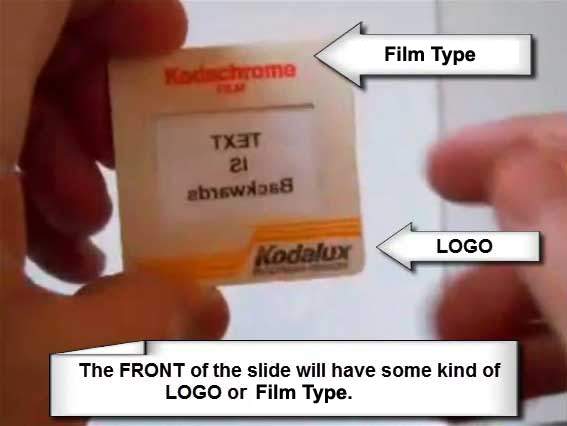
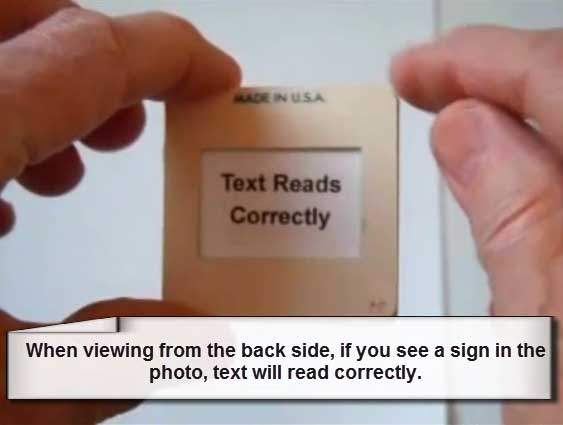
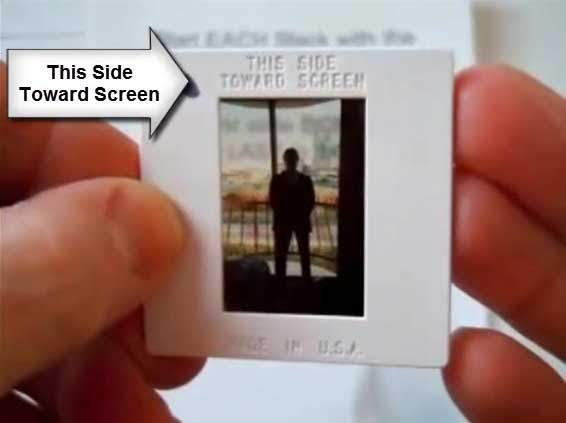
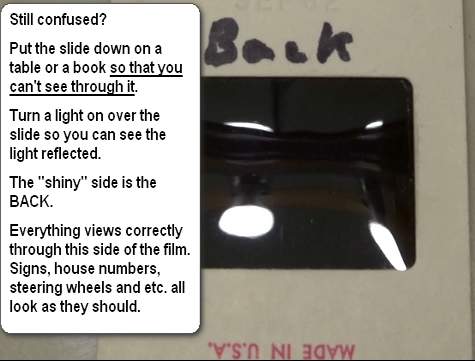
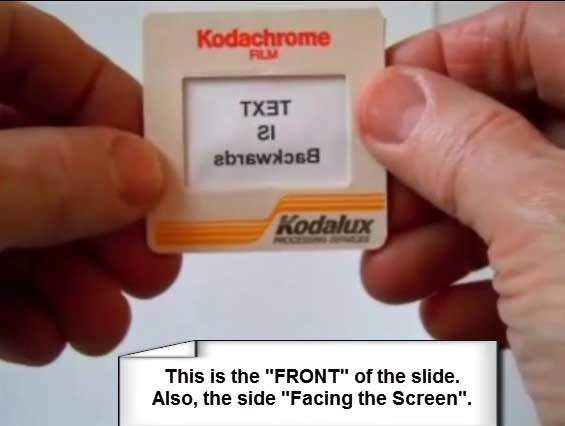
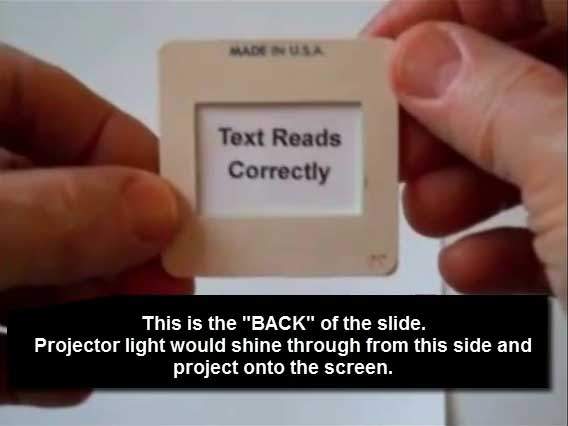
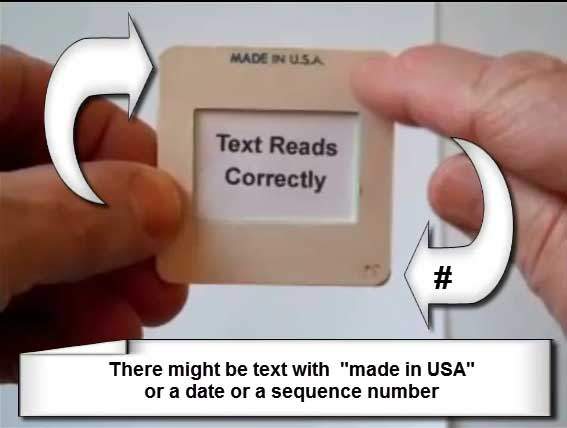
For consistency, we treat the side with the manufacturer’s logo or the phrase “THIS SIDE TOWARDS SCREEN” as the FRONT. If you hold a slide up to the light and any printed sign reads backwards, you’re looking at the BACK. Use the images below to stack and orient correctly so your scans read perfectly on TV, computer, and in prints.
Slide stacking example: start a neat stack from the bottom up
Stacking your slides from the bottom up—second step
Third step: continue stacking evenly to maintain order
Fourth step: keep orientation consistent across the stack
Fifth step: align edges to prevent jams and keep sequence
‘THIS SIDE TOWARDS SCREEN’ marking—treat this as the FRONT
“THIS SIDE TOWARDS SCREEN” is the FRONT of the slide.
Slide FRONT example: logo side, text reads normally when projected
Slide BACK example: text appears backwards when viewed against light

Ready for perfectly oriented and Photoshopped scans?

We’ll make sure every image reads correctly
on TV, computer, and in prints.
Start Your Order

Our Result — Premium Editing Included

Our premium scan result: clean detail, accurate color, and balanced contrast.
Premium Editing Included
Old-Photo — a division of Affordable Scanning Services LLC

Typical Big-Box Result — You Decide

Typical low-quality competitor scan: muddy color, low contrast, visible defects.
Typical Big-Box Result
(Yes. This is what we got from them in a test project.)

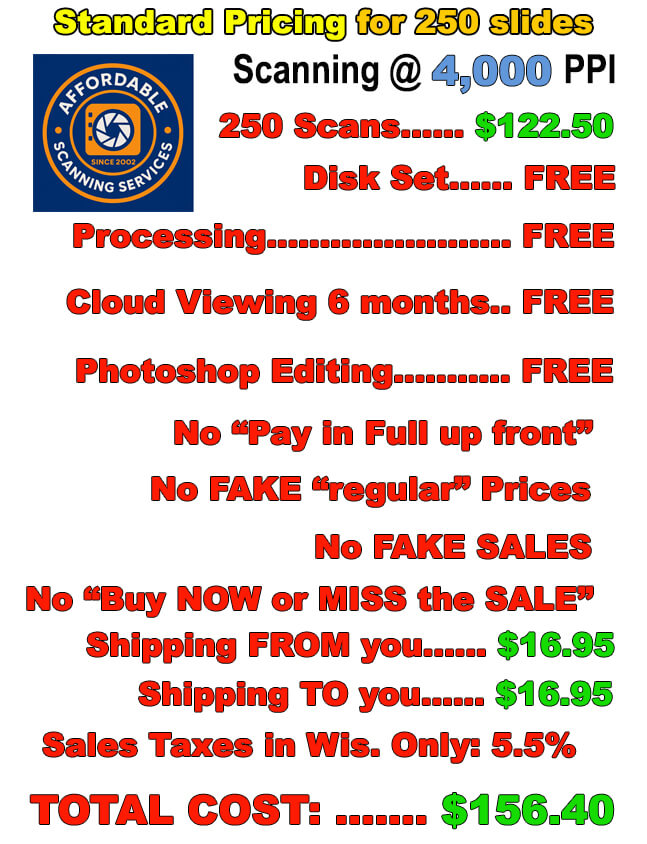
Our Pricing — Affordable Scanning

Affordable Scanning Services pricing for 250 slides
Our Pricing: Affordable Scanning — 250 slides

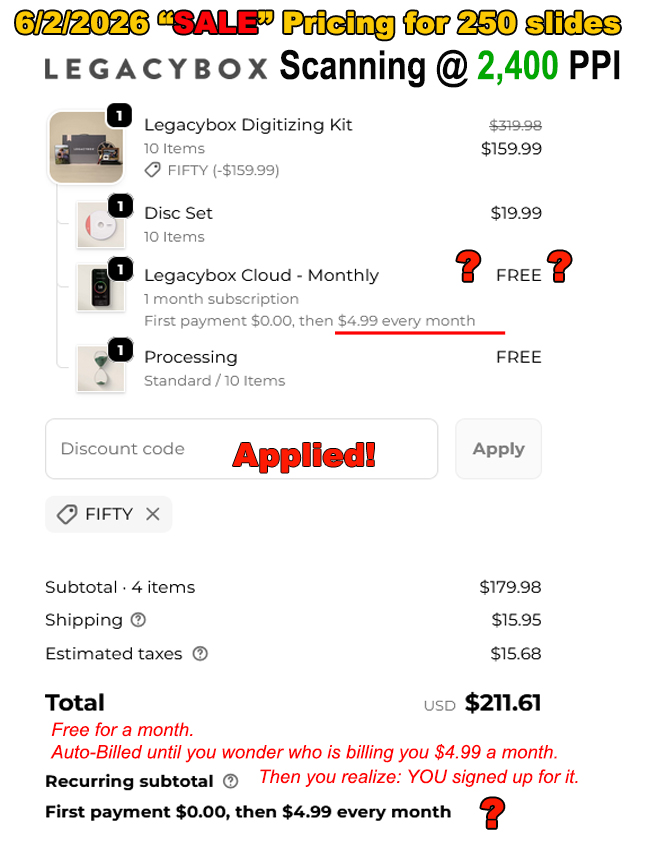
Legacy Box Pricing — You Decide

Legacy Box pricing comparison for 250 slides
Legacy Box Pricing: Same 250 slides — you decide